meyerweb.com

Skip to: site navigation/presentation
Skip to: Thoughts From Eric

Archive: 'WordPress' Category

Taking The “A” Train

So I upgraded to WordPress 1.5 over the weekend. Unfortunately, the “famous 5-minute installation” was, for me, about two orders of magnitude longer. This is not really the fault of WordPress or its crafters: my site is a fairly unusual case. I had pretty heavily modified the templates in WordPress 1.2 by changing the markup, rearranging PHP, that sort of thing, so I had to make sure the upgrade wouldn’t wreck the site. I was also using a number of plugins, many of which I’d written, and I wanted to be sure none of them would get broken.

At first I was planning to modify the WP 1.5 files directly, but then I realized that with the new Themes feature in WordPress, I could convert my markup into a new, separate theme. That took me a while, as I was learning the new structure of WP and figuring out what pieces of my markup needed to go where. Had I never messed around with the original WP markup, I could’ve skipped this step entirely, and saved myself a few hours of work. But then I wouldn’t understand the WP internals as well as I do now.

This thematic conversion was, it is to be expected, a one-time investment. From here on out, I can twiddle with stuff in the theme files, and not touch the WP core. This is a vast improvement over 1.2, and illustrates why themes are a huge win for power users as well as novices. Whether you want to just install and start blogging, or you feel like completely redoing the markup to suit your own twisted ends, WP’s themes will make your life much easier. It will also make it a lot easier to upgrade in the future. I used to fear upgrades because of all the hacking I’d done. Not any more.

Once I’d upgraded the core WP files, it was time to find out what it would take to upgrade my plugins. Basically, very little. I had some magic-quotes routines that had become redundant and needed to be stripped out. That was pretty much all that needed to be done.

However, thanks to new features in WP 1.5, it’s possible to greatly improve the way plugins operate and to very easily extend WP’s feature set entirely from a plugin (once you fix a bug discovered last week). Take WP-Gatekeeper, for example. In WP 1.2, installing Gatekeeper meant installing a plugin file and activating it, adding a file to the wp-admin directory, and modifying two WP core files as well as the comment template(s). Not exactly plug-n-play, which has probably limited its appeal to many WP users.

In WP 1.5, though, it’s possible to add administration pages dynamically—no files have to be edited—and to attach actions to comment form processing. So even at this stage of its overhaul, my development copy of Gatekeeper requires only the installation/activation of a plugin and editing of the comment template. By the time I’m done, it should require only installing and activating the plugin, with no need to edit any files.

Awesome.

All in all, despite the fact that it took so me long to line up all the pieces, I’m really glad to have upgraded to 1.5. I suspect I’ve only scratched the surface of what it has to offer, but what I’ve seen so far has been impressive. The combination of theme organization and plugin power makes this a much more modular, extensible, robust system. In 1.2, I felt like I was bending and rearranging a basic system to meet my specific needs; in 1.5, I feel like I’m working within an environment that has everything I need to do anything I want.

That’s why I’ve changed the site footer, which used to say I was using a copy of WP that I’d “hacked like it was attacking my family”. That’s no longer the case. Sure, I’ve added a number of home-brewed plugins (most of which are freely available) to enhance various things, and yes, I’ve created my own templates. But that stuff is all out of the core files and into separate packages, as it should be, while the core of WP is basically untouched.

Of course, I have a few quibbles here and there, as I do with just about any system I use (I’m a relentless customizer). The Dashboard doesn’t really do a whole lot for me as it stands, and I have some things I’d like to change in both the advanced post-editing interface and the plugin management page. This time around, though, I’m going to offer my changes as contributions to the WP code base, to be accepted or rejected as the developers see fit.

I doff my cap and bow in gratitude toward the WordPress team, and all the members of the WordPress community who have helped it grow and improve. A good tool is now a great tool, and I can only imagine where it will go from here.

Gatekeeper In Perspective

So when I said on Monday:

Got feedback? Let’s hear it?

…what I actually meant was:

Got feedback about the code or how the package works once it’s installed in WordPress? Let’s hear it.

I should have realized that otherwise, the comments would turn into an argument about comment spam, fighting it, ways the general idea could be defeated, and more. Which they did.

Look, folks, despite what some people might tell you, I’m not so arrogant as to think that I could single-handedly solve the comment spamming problem for all time. Even if I were, I very much doubt I’d be so clueless as to think that WP-Gatekeeper was that solution. And if both those things were the case, I’m pretty darned near certain I would have very explicitly made the claim of having beaten the spammers. Likely in big, boldfaced, red, capitalized, blinking letters, plus a background MIDI of “We Are The Champions”.

WP-Gatekeeper is not going to stop every possible comment spam attack, human or automated, for the rest of time. Neither is any other defense you can name, without exception. There may be measures that currently have 100% resistance to scripted attacks. They will one day fail—I can pretty much guarantee it. Even today, they are defeatable by actual humans sitting at computers and posting comment spam on every site they find. That kind of spamming is very, very rare, but it happens. I had such an incident within the last month. If I hadn’t been keeping a close eye on new comments just then, I’d likely have missed it completely.

I’m fully aware that there are ways a spambot could defeat WP-Gatekeeper. At the moment, none of them can. That will one day change, of course, assuming challenges become at all popular. Comment spam and the fighting thereof is a dance, a tennis match, an arms race. Neither side will ever win. As one side adopts a new tactic, the other side will move to counter it. The countermeasure will itself be countered. And so it goes. Eventually, either spambots or spam defenses (or the two in combination) will become so advanced that they’ll gain self-awareness, and then we’ll all be royally hosed.

I know this. You know this. Let’s move on from there, okay?

In the end, the goal is to add another arrow to the quiver at the disposal of spam fighters. Think this approach is wrongheaded, annoying, or otherwise pointless? Fine. Don’t use it. For those who want to add this kind of capability—and since I instituted it on meyerweb, I’ve had not a single piece of spam make it onto the site or hit the moderation queue, whereas in my pre-defense days, I’d get at least twenty every day—then the package is there. You can combine it with other defenses, if you like, for even more coverage. I may upgrade it in the future, depending how far I get in learning PHP, mySQL, and form handling, and what feedback I get from people who know PHP better than I do. I may not, in which case the system as it stands is effective, and probably will be for a while. Even if I do one day abandon further development, the code is out there for someone else to improve if they so choose.

In the meantime, if there’s anyone who is using WP-Gatekeeper or has looked at the code, and has feedback on the coding or the way it works for the administrator of a WP blog, please feel free to share. Also, if anyone can point me to an example of PHP code for collecting all of the HTTP_VARS that are returned by an XHTML form and then looking through them, even when the variable names aren’t necessarily known ahead of time, I’d really like to see it. Thanks.

WP-Gatekeeper

In my post on rel="nofollow", I mentioned the use of easily human-comprehensible challenge questions like “What is Eric’s first name?” as a way to defeat spambots. There were two points made in the comments that I had considered but hadn’t brought up, given that they were tangential to the point of the post. They were:

  1. Spammers could set up a database of questions and answers used on sites. They might or might not share it with each other, but the point is that if I set up “What is Eric’s first name?” as the sole challenge, the human running the spambot could build the ability to answer the question into the spambot, thus defeating it. Quite true.
  2. In order to make it more difficult to do this, there could be a set of challenges from which one is picked randomly. So I might have three challenges asking for the first names of myself, Kat, and Carolyn. Every time a comment form is delivered to a browser, one of the three challenges, picked at random, is included. This would make it more difficult for a human spammer, since he (or she) would have to find all of the challenge questions. work out the responses, and build them all into a database, keyed to each site’s domain.

So over the weekend, I built as a proof of concept (and also as an exercise in learning more about how PHP, mySQL, and WordPress work) a WordPress package to do what described in the second point above. It’s called WP-Gatekeeper, available from my WordPress Tools page, and if you’re brave you can give it a try. Why brave? Because the installation involves hacking a few WP files and adding a new entry to the admin menu, not to mention firing up a plugin. And if you do it in the wrong order, you can break commenting for a short period. There are DIY installation instructions on the WP-Gatekeeper page, for those who still want to proceed. You also need to be brave because if you install it, you’re running code written—well, actually, adapted—by someone with only beginner-to-intermediate PHP skills. I’ve been testing it locally and everything seems fine, but this is even more “use at your own risk” software than usual. Got it? Good.

Accordingly, WP-Gatekeeper is currently considered beta software. I’m making it available now in the hopes that people more experienced than I with PHP and WordPress can take a look, hack on the code, and make it more efficient and the whole package easier to install. I’m already aware that in WP 1.5, adding the admin page is much easier and doesn’t require hacking files, but I wrote WP-Gatekeeper in 1.2 and want it to work there, since that’s the latest public version. Thus, any optimizations should work in 1.2. When 1.5 (or whatever the next version number is) comes out, then I’ll worry about it.

Of course, there’s still nothing that prevents a spammer from registering questions and answers into a database, but the admin page makes it easy for a blogger to add, remove, modify, and re-key the challenges. That will make tracking them more difficult, so long as a blogger puts effort into maintaining the list of challenges. It gets back, in the end, to maintaining your blog. The more maintenance you put into something, the better its shape will stay.

I’m also interested in suggestions for how the overall system could be made harder to bypass with a bot, and easier for a WP admin to run. One feature I plan to add before going final is the ability to have the keys replaced on a regular basis, with the interval (daily/weekly/monthly/etc.) set by the admin. The other driving consideration here is that the system should be fully capable of working even if JavaScript is disabled. It’s an accessibility thing; just go with me on this. (Accessibility is the main reason I did this rather than install an image CAPTCHA solution, as it happens.)

Got feedback? Let’s hear it.

When Blog Software Attacks!

Heard several times in 2002 and 2003: “Hey, Eric, how come you don’t use a blogging package for your site instead of that goofy XML/XSLT thing you cooked up? It would make your archive URLs easier to remember, you could let people search, and comments would be possible.”

Oh, I don’t know… maybe because once I pour everything into a system, I’m subject to its quirks and whims, whereas if I roll my own system, it’s subject to my quirks and whims—and is thus tuned to my personal expectations, built to account for what I might choose to do even if I don’t realize it?

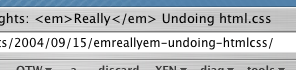
Despite this totally sensible attitude, I eventually did migrate to a system (WordPress). That decision just bit me, thanks to its handling of markup in a post title. Had the markup just been stripped out, that would be one thing—annoying, but totally understandable. But to only sort-of strip it in the post slug and drop the markup raw into the title element, thus breaking any hope of validation? Instead of, oh, I don’t know, maybe stripping the markup from both the title element and the post slug, but otherwise leaving it alone, so that the post title could remain marked up in the document itself?

<sigh type=”frustrated” />

For the record, this is not evidence that WordPress sucks. All packages suck in some way, and each one sucks in unique ways. Eventually, you’re going to trip over something undesirable. Today it was my turn to take that trip.

Now the post slug of emreallyem-undoing-htmlcss is enshrined forever, because you don’t change permalinks if you can possibly avoid it. I can avoid it here by gritting my teeth, sucking it up, and wishing I had the programming moxie (not to mention spare time) to implement my own full-featured system.

Feeling Distracted

For no apparent reason other than I can, I’ve redone the sidebar to include a linkblog titled “Distractions.” I did this by grabbing Markku Seguerra’s wp-recent-links plugin and then hacking the holy bejeezus out of it. I needed to add a “via” function, for example, and wanted to make the administrative interface a bit nicer. That involved finding out how MySQL statements work (mostly by finding all the ways they don’t). So, hack hack hack. It was an interesting distraction. I’ll make the files available in due course.

To make room, I took out the “Socialization” section because it seemed largely worthless; two of the services listed I hardly even look at any more, and the other one was mostly about me puffing up my ego in public, which nobody really needs to see. I’m also thinking about taking out the Platelets because I don’t get to update it often enough, even though I have really soft spot for it in my heart. We’ll see what happens.

Keen-eyed observers will notice that I backfilled a few entries from the past few days. I needed test data, you know?

Migration Patterns

I’ve fielded a few questions about my experience migrating from Movable Type to WordPress, so I thought I’d address that subject for anyone else who might be interested. I didn’t migrate from Movable Type. I’ve never run Movable Type. Okay? That’s not saying anything for or against MT. I’ve just never used it.

What I was using before setting up WordPress was a completely hand-built system where I authored entries in an XML format of my own devising, in which every entry for a given period (say, all of 2004) was sitting the same file. Once I wrote a new entry, I’d pour the XML file through a set of XSLT scripts to generate the latest posts, monthly archive pages, and RSS feeds. This was accomplished with some dirt-simple shell scripts I’d put together. Here’s what the main script looked like:

#!/bin/bash
MONTH="$(date +%Y%m)"
echo $MONTH
xsltproc -o latest.html xslt/latest.xsl archive.xml
xsltproc -o rss20.xml xslt/rss20.xsl archive.xml
xsltproc -o rss091.xml xslt/rss091.xsl archive.xml
xsltproc -o $MONTH.html -stringparam chunk $MONTH xslt/chunker.xsl archive.xml

Anyone familiar with xsltproc will see what I’m doing at a glance. For the rest of you, here’s a quick explanation. The first xsltproc... line runs xsltproc using the script at xslt/latest.xsl (relative to the shell script) against the file archive.xml, writing the result to the file latest.html. That’s it. Nothing very fancy, but it worked well enough when I created the system.

Why did I abandon my loving crafed system for an installable package? A combination of factors, any of which would not have been enough on its own.

  • The monthly archives were starting to get too heavy. For example, the archive page for March 2004 is 88KB, and that doesn’t count any style sheets, images, or other external resources that would have to be loaded on top of that. Back in the day, a month’s worth of posts would be maybe 15KB of HTML and text. Heck, all of my posts from 1999 and 2000 total a whopping 32KB of HTML source. My total posting from December 1999 through 2001 is about the same amount of data as the posts for March 2004. So I needed more flexibility in terms of post archiving, which meant things like per-post archives, which I didn’t really want to have to try to support via XSLT.
  • I wanted to offer post commenting from time to time, and also have a system that managed pingbacks and trackbacks. I had very little interest in figuring out how to implement my own commenting system, so weblogging software was my best choice.
  • An ability to search through the post archives was something I wanted to add, but for some reason I don’t want to do it through Google. I’m still not sure why… I just don’t.

So why did I migrate to WordPress, specifically? After looking at a number of packages, I decided that WordPress just fit me the best. I still don’t like having to go through a Web interface to write posts, as I’ve gotten very used to authoring in BBEdit, but that was going to be a hurdle no matter what. (And I do often write up a post in BBEdit before simply pasting it into the Web interface.) Here are some specific reasons:

  • By default, WordPress generates valid XHTML files. Thus, the process of adapting its code to generate the valid HTML I wanted was a lot less painful than it would have been with a package that doesn’t generate valid markup by default.
  • Similarly, WordPress is set up to handle site presentation via CSS, so it was a trivial matter for me to replace their default styles with my own.
  • I like that WordPress is not only open source, but users are encouraged to hack on it and share their hacks, which I’ve already started to do. This was enough like a hand-built system to make me happy. I think of it as a stock car that I can tune and tinker with to my heart’s content.
  • The new “Import via RSS” feature in WordPress 1.2 made sucking all of my back posts into the system really, really easy. I just had to create a full-content RSS file containing every post I’d ever written—pretty easy, given that I had them all stored in XML—and then point the RSS importer at the file. Well, two files, actually, but it still made the whole process very smooth. It read the publication dates, categories, and everything else of note in a matter of milliseconds. In fact, it was so easy I felt no regret about blowing away my test-site import and doing it again for the public site.
  • It certainly didn’t hurt that one of the primary forces behind WordPress is Matt Mullenweg, a fellow GMPG founder, so I knew that if I really got stuck I could ask him for help.

So that’s why I switched away from my home-brewed system and onto WordPress. So far, aside from the occasional bouts of swearing at obscure MySQL and PHP syntax, neither of which has been anywhere near as migrane-inducing as XSLT syntax was, I’ve had no significant reason to regret the change.

Now you know… and knowing is half the battle.

New WP Plugin

A small WordPress hacking update: I’ve added a new plugin, MW Get Post Info, to the WordPress Plugins and Hacks page. This one could be particularly useful for those of you who are providing excerpt feeds. As usual, share and enjoy.

Plugging Into WordPress

Although I’m now using WordPress for the “Thoughts From Eric” portion of the site, that doesn’t mean I’m using a default install. Oh no. I had to go hacking on the source of the system, even though I knowknew next to nothing about PHP (not that it seems terribly difficult to learn) and bend it to my desires. No, not those kinds of desires. The HTML it produced wasn’t suited to my needs, so I changed it. I didn’t like the limitations of some functions, so I extended them. I needed a more robust monthly calendar, so I added what I needed. I thought the administrative interface could provide better visual feedback, so I hacked on it until I could do things like highlight activated plugins in varying shades of green.

Since WordPress now supports plugins, I figured I’d share some of what I’ve created in case anyone out there is interested. Thus, I now have a WordPress Plugins and Hacks page in the Tools area of meyerweb. The three plugins currently given there are the three I wrote first, and which work the way I wanted. Each plugin has a page that documents the parameters it can accept, which is a good way to decide if a given plugin will be of any use to you or not. I have a few more plugins that are almost, but not quite, ready for public release; hopefully I’ll have them sorted out within the next couple of weeks.

So feel free to check out my WP plugins, and to use ‘em if you like ‘em.

August 2008
SMTWTFS
July  
 12
3456789
10111213141516
17181920212223
24252627282930
31  

Archives

Feeds

Extras