A few days ago was the 30th anniversary of the first time I wrote an HTML document. Back in 1993, I took a Usenet posting of the “Incomplete Mystery Science Theater 3000 Episode Guide” and marked it up. You can see the archived copy here on meyerweb. At some point, the markup got updated for reasons I don’t remember, but I can guarantee you the original had uppercase tag names and I didn’t close any paragraphs. That’s because I was using <P> as a shorthand for <BR><BR>, which was the style at the time.
Its last-updated date of December 3, 1993, is also the date I created it. I was on lobby duty with the CWRU Film Society, and had lugged a laptop (I think it was an Apple PowerBook of some variety, something like a 180, borrowed from my workplace) and a printout of the HTML specification (or maybe it was “Tags in HTML”?) along with me.
I spent most of that evening in the lobby of Strosacker Auditorium, typing tags and doing find-and-replace operations in Microsoft Word, and then saving as text to a file that ended in .html, which was the style at the time. By the end of the night, I had more or less what you see in the archived copy.
The only visual change between then and now is that a year or two later, when I put the file up in my home directory, I added the toolbars at the top and bottom of the page — toolbars I’d designed and made a layout standard as CWRU’s webmaster. Which itself only happened because I learned HTML.
A couple of years ago, I was fortunate enough to be able to relate some of this story to Joel Hodgson himself. The story delighted him, which delighted me, because delighting someone who has been a longtime hero really is one of life’s great joys. And the fact that I got to have that conversation, to feel that joy, is inextricably rooted in my sitting in that lobby with that laptop and that printout and that Usenet post, adding tags and saving as text and hitting reload in Mosaic to instantly see the web page take shape, thirty years ago this week.
For a while now, Web Components (which I’m not going to capitalize again, you’re welcome) have been one of those things that pop up in the general web conversation, seem intriguing, and then fade into the background again.
I freely admit a lot of this experience is due to me, who is not all that thrilled with the Shadow DOM in general and all the shenanigans required to cross from the Light Side to the Dark Side in particular. I like the Light DOM. It’s designed to work together pretty well. This whole high-fantasy-flavored Shadowlands of the DOM thing just doesn’t sit right with me.
If they do for you, that’s great! Rock on with your bad self. I say all this mostly to set the stage for why I only recently had a breakthrough using web components, and now I quite like them. But not the shadow kind. I’m talking about Fully Light-DOM Components here.
It started with a one-two punch: first, I read Jim Nielsen’s “Using Web Components on My Icon Galleries Websites”, which I didn’t really get the first few times I read it, but I could tell there was something new (to me) there. Very shortly thereafter, I saw Dave Rupert’s <fit-vids> CodePen, and that’s when the Light DOM Bulb went off in my head. You just take some normal HTML markup, wrap it with a custom element, and then write some JS to add capabilities which you can then style with regular CSS! Everything’s of the Light Side of the Web. No need to pierce the Vale of Shadows or whatever.
Kindly permit me to illustrate at great length and in some depth, using a thing I created while developing a tool for internal use at Igalia as the basis. Suppose you have some range inputs, just some happy little slider controls on your page, ready to change some values, like this:
The idea here is that you use the slider to change the font size of an element of some kind. Using HTML’s built-in attributes for range inputs, I set a minimum, maximum, and initial value, the step size permitted for value changes, and an ID so a <label> can be associated with it. Dirt-standard HTML stuff, in other words. Given that this markup exists in the page, then, it needs to be hooked up to the thing it’s supposed to change.
In Ye Olden Days, you’d need to write a function to go through the entire DOM looking for these controls (maybe you’d add a specific class to the ones you need to find), figure out how to associate them with the element they’re supposed to affect (a title, in this case), add listeners, and so on. It might go something like:
let sliders = document.querySelectorAll('input[id]');
for (i = 0; i < sliders.length; i++) {
	let slider = sliders[i];
	// …add event listeners
	// …target element to control
	// …set behaviors, maybe call external functions
	// …etc., etc., etc.
}
Then you’d have to stuff all that into a window.onload observer or otherwise defer the script until the document is finished loading.
To be clear, you can absolutely still do it that way. Sometimes, it’s even the most sensible choice! But fully-light-DOM components can make a lot of this easier, more reusable, and robust. We can add some custom elements to the page and use those as a foundation for scripting advanced behavior.
Now, if you’re like me (and I know I am), you might think of converting everything into a completely bespoke element and then forcing all the things you want to do with it into its attributes, like this:
<super-slider type="range" min="0.5" max="4" step="0.1" value="2"
	          unit="em" target=".preview h1">
Title font size
</super-slider>
Don’t do this. If you do, then you end up having to reconstruct the HTML you want to exist out of the data you stuck on the custom element. As in, you have to read off the type, min, max, step, and value attributes of the <super-slider> element, then create an <input> element and add the attributes and their values you just read off <super-slider>, create a <label> and insert the <super-slider>’s text content into the label’s text content, and why? Why did I do this to myse — uh, I mean, why do this to yourself?
This is the pattern I got from <fit-vids>, and the moment that really broke down the barrier I’d had to understanding what makes web components so valuable. By taking this approach, you get everything HTML gives you with the <label> and <input> elements for free, and you can add things on top of it. It’s pure progressive enhancement.
To figure out how all this goes together, I found MDN’s page “Using custom elements” really quite valuable. That’s where I internalized the reality that instead of having to scrape the DOM for custom elements and then run through a loop, I could extend HTML itself:
class superSlider extends HTMLElement {
	connectedCallback() {
		//
		// the magic happens here!
		//
	}
}

customElements.define("super-slider",superSlider);
What that last line does is tell the browser, “any <super-slider> element is of the superSlider JavaScript class”. Which means, any time the browser sees <super-slider>, it does the stuff that’s defined by class superSlider in the script. Which is the thing in the previous code block! So let’s talk about how it works, with concrete examples.
It’s the class structure that holds the real power. Inside there, connectedCallback() is invoked whenever a <super-slider> is connected; that is, whenever one is encountered in the page by the browser as it parses the markup, or when one is added to the page later on. It’s an auto-startup callback. (What’s a callback? I’ve never truly understood that, but it turns out I don’t have to!) So in there, I write something like:
connectedCallback() {
	let targetEl = document.querySelector(this.getAttribute('target'));
	let unit = this.getAttribute('unit');
	let slider = this.querySelector('input[type="range"]');
}
So far, all I’ve done here is:
Used the value of the target attribute on <super-slider> to find the element that the range slider should affect using a CSS-esque query.
The unit attribute’s value to know what CSS unit I’ll be using later in the code.
Grabbed the range input itself by running a querySelector() within the <super-slider> element.
With all those things defined, I can add an event listener to the range input:
slider.addEventListener("input",(e) => {
	let value = slider.value + unit;
	targetEl.style.setProperty('font-size',value);
});
…and really, that’s it. Put all together:
class superSlider extends HTMLElement {
	connectedCallback() {
		let targetEl = document.querySelector(this.getAttribute('target'));
		let unit = this.getAttribute('unit');
		let slider = this.querySelector('input[type="range"]');
		slider.addEventListener("input",(e) => {
			targetEl.style.setProperty('font-size',slider.value + unit);
		});
	}
}

customElements.define("super-slider",superSlider);
 <span>See the Pen <a href="https://codepen.io/meyerweb/pen/oNmXJRX">
 WebCOLD 01</a> by Eric A.  Meyer (<a href="https://codepen.io/meyerweb">@meyerweb</a>)
 on <a href="https://codepen.io">CodePen</a>.</span>
As I said earlier, you can get to essentially the same result by running document.querySelectorAll('super-slider') and then looping through the collection to find all the bits and bobs and add the event listeners and so on. In a sense, that’s what I’ve done above, except I didn’t have to do the scraping and looping and waiting until the document has loaded — using web components abstracts all of that away. I’m also registering all the components with the browser via customElements.define(), so there’s that too. Overall, somehow, it just feels cleaner.
One thing that sets customElements.define() apart from the collect-and-loop-after-page-load approach is that custom elements fire all that connection callback code on themselves whenever they’re added to the document, all nice and encapsulated. Imagine for a moment an application where custom elements are added well after page load, perhaps as the result of user input. No problem! There isn’t the need to repeat the collect-and-loop code, which would likely have to have special handling to figure out which are the new elements and which already existed. It’s incredibly handy and much easier to work with.
But that’s not all! Suppose we want to add a “reset” button — a control that lets you set the slider back to its starting value. Adding some code to the connectedCallback() can make that happen. There’s probably a bunch of different ways to do this, so what follows likely isn’t the most clever or re-usable way. It is, instead, the way that made sense to me at the time.
With that code added into the connection callback, a button gets added right after the slider, and it shows a little circle-arrow to convey the concept of resetting. You could just as easily make its text “Reset”. When said button is clicked or keyboard-activated ("click" handles both, it seems), the slider is reset to the stored initial value, and then an input event is fired at the slider so the target element’s style will also be updated. This is probably an ugly, ugly way to do this! I did it anyway.
 <span>See the Pen <a href="https://codepen.io/meyerweb/pen/jOdPdyQ">
 WebCOLD 02</a> by Eric A.  Meyer (<a href="https://codepen.io/meyerweb">@meyerweb</a>)
 on <a href="https://codepen.io">CodePen</a>.</span>
Okay, so now that I can reset the value, maybe I’d also like to see what the value is, at any given moment in time? Say, by inserting a classed <span> right after the label and making its text content show the current combination of value and unit?
let label = this.querySelector('label');
let readout = document.createElement('span');
readout.classList.add('readout');
readout.textContent = slider.value + unit;
label.after(readout);
Plus, I’ll need to add the same text content update thing to the slider’s handling of input events:
I imagine I could have made this readout-updating thing a little more generic (less DRY, if you like) by creating some kind of getter/setter things on the JS class, which is totally possible to do, but that felt like a little much for this particular situation. Or I could have broken the readout update into its own function, either within the class or external to it, and passed in the readout and slider and reset value and unit to cause the update. That seems awfully clumsy, though. Maybe figuring out how to make the span a thing that observes slider changes and updates automatically? I dunno, just writing the same thing in two places seemed a lot easier, so that’s how I did it.
So, at this point, here’s the entirety of the script, with a CodePen example of the same thing immediately after.
class superSlider extends HTMLElement {
connectedCallback() {
let targetEl = document.querySelector(this.getAttribute("target"));
let unit = this.getAttribute("unit");
let slider = this.querySelector('input[type="range"]');
slider.addEventListener("input", (e) => {
	targetEl.style.setProperty("font-size", slider.value + unit);
	readout.textContent = slider.value + unit;
});
let reset = slider.getAttribute("value");
let resetter = document.createElement("button");
resetter.textContent = "↺";
resetter.setAttribute("title", reset + unit);
resetter.addEventListener("click", (e) => {
slider.value = reset;
slider.dispatchEvent(
new MouseEvent("input", { view: window, bubbles: false })
);
});
slider.after(resetter);
let label = this.querySelector("label");
let readout = document.createElement("span");
readout.classList.add("readout");
readout.textContent = slider.value + unit;
label.after(readout);
}
}
customElements.define("super-slider", superSlider);
 <span>See the Pen <a href="https://codepen.io/meyerweb/pen/NWoGbWX">
 WebCOLD 03</a> by Eric A.  Meyer (<a href="https://codepen.io/meyerweb">@meyerweb</a>)
 on <a href="https://codepen.io">CodePen</a>.</span>
Anything you can imagine JS would let you do to the HTML and CSS, you can do in here. Add a class to the slider when it has a value other than its default value so you can style the reset button to fade in or be given a red outline, for example.
Or maybe do what I did, and add some structural-fix-up code. For example, suppose I were to write:
In that bit of markup, I left off the id on the <input> and the for on the <label>, which means they have no structural association with each other. (You should never do this, but sometimes it happens.) To handle this sort of failing, I threw some code into the connection callback to detect and fix those kinds of authoring errors, because why not? It goes a little something like this:
if (!label.getAttribute('for') && slider.getAttribute('id')) {
	label.setAttribute('for',slider.getAttribute('id'));
}
if (label.getAttribute('for') && !slider.getAttribute('id')) {
	slider.setAttribute('id',label.getAttribute('for'));
}
if (!label.getAttribute('for') && !slider.getAttribute('id')) {
	let connector = label.textContent.replace(' ','_');
	label.setAttribute('for',connector);
	slider.setAttribute('id',connector);
}
Once more, this is probably the ugliest way to do this in JS, but also again, it works. Now I’m making sure labels and inputs have association even when the author forgot to explicitly define it, which I count as a win. If I were feeling particularly spicy, I’d have the code pop an alert chastising me for screwing up, so that I’d fix it instead of being a lazy author.
It also occurs to me, as I review this for publication, that I didn’t try to do anything in situations where both the for and id attributes are present, but their values don’t match. That feels like something I should auto-fix, since I can’t imagine a scenario where they would need to intentionally be different. It’s possible my imagination is lacking, of course.
So now, here’s all just-over-40 lines of the script that makes all this work, followed by a CodePen demonstrating it.
class superSlider extends HTMLElement {
	connectedCallback() {
		let targetEl = document.querySelector(this.getAttribute("target"));
		let unit = this.getAttribute("unit");

		let slider = this.querySelector('input[type="range"]');
		slider.addEventListener("input", (e) => {
			targetEl.style.setProperty("font-size", slider.value + unit);
			readout.textContent = slider.value + unit;
		});

		let reset = slider.getAttribute("value");
		let resetter = document.createElement("button");
		resetter.textContent = "↺";
		resetter.setAttribute("title", reset + unit);
		resetter.addEventListener("click", (e) => {
			slider.value = reset;
			slider.dispatchEvent(
				new MouseEvent("input", { view: window, bubbles: false })
			);
		});
		slider.after(resetter);

		let label = this.querySelector("label");
		let readout = document.createElement("span");
		readout.classList.add("readout");
		readout.textContent = slider.value + unit;
		label.after(readout);

		if (!label.getAttribute("for") && slider.getAttribute("id")) {
			label.setAttribute("for", slider.getAttribute("id"));
		}
		if (label.getAttribute("for") && !slider.getAttribute("id")) {
			slider.setAttribute("id", label.getAttribute("for"));
		}
		if (!label.getAttribute("for") && !slider.getAttribute("id")) {
			let connector = label.textContent.replace(" ", "_");
			label.setAttribute("for", connector);
			slider.setAttribute("id", connector);
		}
	}
}

customElements.define("super-slider", superSlider);
 <span>See the Pen <a href="https://codepen.io/meyerweb/pen/PoVPbzK">
 WebCOLD 04</a> by Eric A.  Meyer (<a href="https://codepen.io/meyerweb">@meyerweb</a>)
 on <a href="https://codepen.io">CodePen</a>.</span>
There are doubtless cleaner/more elegant/more clever ways to do pretty much everything I did above, considering I’m not much better than an experienced amateur when it comes to JavaScript. Don’t focus so much on the specifics of what I wrote, and more on the overall concepts at play.
I will say that I ended up using this custom element to affect more than just font sizes. In some places I wanted to alter margins; in others, the hue angle of colors. There are a couple of ways to do this. The first is what I did, which is to use a bunch of CSS variables and change their values. So the markup and relevant bits of the JS looked more like this:
I’ll leave the associated JS as an exercise for the reader. I can think of reasons to do either of those approaches.
But wait! There’s more! Not more in-depth JS coding (even though we could absolutely keep going, and in the tool I built, I absolutely did), but there are some things to talk about before wrapping up.
First, if you need to invoke the class’s constructor for whatever reason — I’m sure there are reasons, whatever they may be — you have to do it with a super() up top. Why? I don’t know. Why would you need to? I don’t know. If I read the intro to the super page correctly, I think it has something to do with class prototypes, but the rest went so far over my head the FAA issued a NOTAM. Apparently I didn’t do anything that depends on the constructor in this article, so I didn’t bother including it.
Second, basically all the JS I wrote in this article went into the connectedCallback() structure. This is only one of four built-in callbacks! The others are:
disconnectedCallback(), which is fired whenever a custom element of this type is removed from the page. This seems useful if you have things that can be added or subtracted dynamically, and you want to update other parts of the DOM when they’re subtracted.
adoptedCallback(), which is (to quote MDN) “called each time the element is moved to a new document.” I have
no idea what that means. I understand all the words; it’s just that particular combination of them that confuses me.
attributeChangedCallback(), which is fired when attributes of the custom element change. I thought about trying to use this for my super-sliders, but in the end, nothing I was doing made sense (to me) to bubble up to the custom element just to monitor and act upon. A use case that does suggest itself: if I allowed users to change the sizing unit, say from
em to
vh, I’d want to change other things, like the
min,
max,
step, and default
value attributes of the sliders. So, since I’d have to change the value of the
unit attribute anyway, it might make sense to use
attributeChangedCallback() to watch for that sort of thing and then take action. Maybe!
Third, I didn’t really talk about styling any of this. Well, because all of this stuff is in the Light DOM, I don’t have to worry about Shadow Walls or whatever, I can style everything the normal way. Here’s a part of the CSS I use in the CodePens, just to make things look a little nicer:
Hopefully that all makes sense, but if not, let me know in the comments and I’ll clarify.
A thing I didn’t do was use the :defined pseudo-class to style custom elements that are defined, or rather, to style those that are not defined. Remember the last line of the script, where customElements.define() is called to define the custom elements? Because they are defined that way, I could add some CSS like this:
super-slider:not(:defined) {
	display: none;
}
In other words, if a <super-slider> for some reason isn’t defined, make it and everything inside it just… go away. Once it becomes defined, the selector will no longer match, and the display: none will be peeled away. You could use visibility or opacity instead of display; really, it’s up to you. Heck, you could tile red warning icons in the whole background of the custom element if it hasn’t been defined yet, just to drive the point home.
The beauty of all this is, you don’t have to mess with Shadow DOM selectors like ::part() or ::slotted(). You can just style elements the way you always style them, whether they’re built into HTML or special hyphenated elements you made up for your situation and then, like the Boiling Isles’ most powerful witch, called into being.
That said, there’s a “fourth” here, which is that Shadow DOM does offer one very powerful capability that fully Light DOM custom elements lack: the ability to create a structural template with <slot> elements, and then drop your Light-DOM elements into those slots. This slotting ability does make Shadowy web components a lot more robust and easier to share around, because as long as the slot names stay the same, the template can be changed without breaking anything. This is a level of robustness that the approach I explored above lacks, and it’s built in. It’s the one thing I actually do like about Shadow DOM.
It’s true that in a case like I’ve written about here, that’s not a huge issue: I was quickly building a web component for a single tool that I could re-use within the context of that tool. It works fine in that context. It isn’t portable, in the sense of being a thing I could turn into an npm package for others to use, or probably even share around my organization for other teams to use. But then, I only put 40-50 lines worth of coding into it, and was able to rapidly iterate to create something that met my needs perfectly. I’m a lot more inclined to take this approach in the future, when the need arises, which will be a very powerful addition to my web development toolbox.
I’d love to see the templating/slotting capabilities of Shadow DOM brought into the fully Light-DOM component world. Maybe that’s what Declarative Shadow DOM is? Or maybe not! My eyes still go cross-glazed whenever I try to read articles about Shadow DOM, almost like a trickster demon lurking in the shadows casts a Spell of Confusion at me.
So there you have it: a few thousand words on my journey through coming to understand and work with these fully-Light-DOM web components, otherwise known as custom elements. Now all they need is a catchy name, so we can draw more people to the Light Side of the Web. If you have any ideas, please drop ’em in the comments!
Late last week, I posted a tiny hack related to :has() and Firefox. This was, in some ways, a mistake. Let me explain how.
Primarily, I should have filed a bug about it. Someone else did so, and it’s already been fixed. This is all great in the wider view, but I shouldn’t be offloading the work of reporting browser bugs when I know perfectly well how to do that. I got too caught up in the fun of documenting a tiny hack (my favorite kind!) to remember that, which is no excuse.
Not far behind that, I should have remembered that Firefox only supports :has() at the moment if you’ve enabled the layout.css.has-selector.enabled flag in about:config. Although this may be the default now in Nightly builds, given that my copy of Firefox Nightly (121.0a1) shows the flag as true without the Boldfacing of Change. At any rate, I should have been clear about the support status.
Thus, I offer my apologies to the person who did the reporting work I should have done, who also has my gratitude, and to anyone who I misled about the state of support in Firefox by not being clear about it. Neither was my intent, but impact outweighs intent. I’ll add a note to the top of the previous article that points here, and resolve to do better.
I’ve posted a followup to this post which you should read before you read this post, because you might decide there’s no need to read this one. If not, please note that what’s documented below was a hack to overcome a bug that was quickly fixed, in a part of CSS that wasn’t enabled in stable Firefox at the time I wrote the post. Thus, what follows isn’t really useful, and leaves more than one wrong impression. I apologize for this. For a more detailed breakdown of my errors, please see the followup post.
I’ve been doing some development recently on a tool that lets me quickly produce social-media banners for my work at Igalia. It started out using a vanilla JS script to snarfle up collections of HTML elements like all the range inputs, stick listeners and stuff on them, and then alter CSS variables when the inputs change. Then I had a conceptual breakthrough and refactored the entire thing to use fully light-DOM web components (FLDWCs), which let me rapidly and radically increase the tool’s capabilities, and I kind of love the FLDWCs even as I struggle to figure out the best practices.
With luck, I’ll write about all that soon, but for today, I wanted to share a little hack I developed to make Firefox a tiny bit more capable.
One of the things I do in the tool’s CSS is check to see if an element (represented here by a <div> for simplicity’s sake) has an image whose src attribute is a base64 string instead of a URI, and when it is, add some generated content. (It makes sense in context. Or at least it makes sense to me.) The CSS rule looks very much like this:
div:has(img[src*=";data64,"])::before {
	[…generated content styles go here…]
}
This works fine in WebKit and Chromium. Firefox, at least as of the day I’m writing this, often fails to notice the change, which means the selector doesn’t match, even in the Nightly builds, and so the generated content isn’t generated. It has problems correlating DOM updates and :has(), is what it comes down to.
There is a way to prod it into awareness, though! What I found during my development was that if I clicked or tabbed into a contenteditable element, the :has() would suddenly match and the generated content would appear. The editable element didn’t even have to be a child of the div bearing the :has(), which seemed weird to me for no distinct reason, but it made me think that maybe any content editing would work.
I tried adding contenteditable to a nearby element and then immediately removing it via JS, and that didn’t work. But then I added a tiny delay to removing the contenteditable, and that worked! I feel like I might have seen a similar tactic proposed by someone on social media or a blog or something, but if so, I can’t find it now, so my apologies if I ganked your idea without attribution.
My one concern was that if I wasn’t careful, I might accidentally pick an element that was supposed to be editable, and then remove the editing state it’s supposed to have. Instead of doing detection of the attribute during selection, I asked myself, “Self, what’s an element that is assured to be present but almost certainly not ever set to be editable?”
Well, there will always be a root element. Usually that will be <html> but you never know, maybe it will be something else, what with web components and all that. Or you could be styling your RSS feed, which is in fact a thing one can do. At any rate, where I landed was to add the following right after the part of my script where I set an image’s src to use a base64 URI:
let ffHack = document.querySelector(':root');
ffHack.setAttribute('contenteditable','true');
setTimeout(function(){
	ffHack.removeAttribute('contenteditable');
},7);
Literally all this does is grab the page’s root element, set it to be contenteditable, and then seven milliseconds later, remove the contenteditable. That’s about a millisecond less than the lifetime of a rendering frame at 120fps, so ideally, the browser won’t draw a frame where the root element is actually editable… or, if there is such a frame, it will be replaced by the next frame so quickly that the odds of accidentally editing the root are very, very, very small.
At the moment, I’m not doing any browser sniffing to figure out if the hack needs to be applied, so every browser gets to do this shuffle on Firefox’s behalf. Lazy, I suppose, but I’m going to wave my hands and intone “browsers are very fast now” while studiously ignoring all the inner voices complaining about inefficiency and inelegance. I feel like using this hack means it’s too late for all those concerns anyway.
I don’t know how many people out there will need to prod Firefox like this, but for however many there are, I hope this helps. And if you have an even better approach, please let us know in the comments!
Not quite a year ago, I published an exploration of how I used layered backgrounds to create the appearance of a single bent line that connected one edge of the design to whichever navbar link corresponded to the current page. It was fairly creative, if I do say so myself, but even then I knew — and said explicitly! — that it was a hack, and that I really wanted to use anchor positioning to do it cleanly.
Now that anchor positioning is supported behind a developer flag in Chrome, we can experiment with it, as I did in the recent post “Nuclear Anchored Sidenotes”. Well, today, I’m back on my anchor BS with a return to that dashed navbar connector as seen on wpewebkit.org, and how it can be done more cleanly and simply, just as I’d hoped last year.
First, let’s look at the thing we’re trying to recreate.
The connecting line, as done with a bunch of forcibly-sized and creatively overlapped background gradient images.
To understand the ground on which we stand, let’s make a quick perusal of the simple HTML structure at play here. At least, the relevant parts of it, with some bits elided by ellipses for clarity.
Inside that (unclassed! on purpose!) <ul>, there are a number of list items, each of which holds a hyperlink. Whichever list item contains the hyperlink that corresponds to the current page gets a class of currentPage, because class naming is a deep and mysterious art.
To that HTML structure, the following bits of CSS trickery were applied in the work I did last year, brought together in this code block for the sake of brevity (note this is the old thing, not the new anchoring hotness):
If you’re wondering what the heck is going on there, please feel free to read the post from last year. You can even go read it now, if you want, even though I’m about to flip most of that apple cart and stomp on the apples to make ground cider. Your life is your own; steer it as best suits you.
Anyway, here are the bits I’m tearing out to make way for an anchor-positioning solution. The positioning-edge properties (top, etc.) removed from the second rule will return shortly in a more logical form.
That pulls out not only the positioning edge properties, but also the background dash variables and related properties. And a whole rule to relatively position the currentPage list item, gone. The resulting lack of any connecting line being drawn is perhaps predictable, but here it is anyway.
The connecting line disappears as all its support structures and party tricks are swept away.
With the field cleared of last year’s detritus, let’s get ready to anchor!
Step one is to add in positioning edges, for which I’ll use logical positioning properties instead of the old physical properties. Along with those, a negative Z index to drop the generated decorator (that is, a decorative component based on generated content, which is what this ::before rule is creating) behind the entire set of links, dashed borders along the block and inline ends of the generated decorator, and a light-red background color so we can see the decorator’s placement more clearly.
I’ll also give the <a> element inside the currentPage list item a dashed border along its block-end edge, since the design calls for one.
 nav.global ul li.currentPage a {
		padding: 0;
		padding-block: 0.25em;
		margin: 1em;
		color: inherit;
	   border-block-end: 1px dashed;
	}
And those changes give us the result shown here.
The generated decorator, decorating the entirety of its containing block.
Well, I did set all the positioning edge values to be 0, so it makes sense that the generated decorator fills out the relatively-positioned <div> acting as its containing block. Time to fix that.
What we need to do give the top and right — excuse me, the block-start and inline-end — edges of the decorator a positioning anchor. Since the thing we want to connect the decorator’s visible edges to is the <a> inside the currentPage list item, I’ll make it the positioning anchor:
 nav.global ul li.currentPage a {
		padding: 0;
		padding-block: 0.25em;
		margin: 1em;
		color: inherit;
		border-block-end: 1px dashed;
	   anchor-name: --currentPageLink;
	}
Yes, you’re reading that correctly: I made an anchor be an anchor.
(That’s an HTML anchor element being designated as a CSS positioning anchor, to be clear. Sorry to pedantically explain the joke and thus ruin it, but I fear confusion more than banality.)
Now that we have a positioning anchor, the first thing to do, because it’s more clear to do it in this order, is to pin the inline-end edge of the generated decorator to its anchor. Specifically, to pin it to the center of the anchor, since that’s what the design calls for.
Because this anchor() function is being used with an inline inset property, the center here refers to the inline center of the referenced anchor (in both the HTML and CSS senses of that word) --currentPageLink, which in this particular case is its horizontal center. That gives us the following.
The generated decorator with its inline-end edge aligned with the inline center of the anchoring anchor.
The next step is to pin the top block edge of the generated decorator with respect to its positioning anchor. Since we want the line to come up and touch the block-end edge of the anchor, the end keyword is used to pin to the block end of the anchor (in this situation, its bottom edge).
Since the inset property in this case is block-related, the end keyword here means the block end of the anchor (again, in both senses). And thus, the job is done, except for removing the light-red diagnostic background.
The generated decorator with its block-start edge aligned with the block-end edge of the anchoring anchor.
Once that red background is taken out, we end up with the following rules inside the media query:
The inline-start and block-end edges of the generated decorator still have position values of 0, so they stick to the edges of the containing block (the <div>). The block-start and inline-end edges have values that are set with respect to their anchor. That’s it, done and dusted.
The connecting line is restored, but is now a lot easier to manage from the CSS side.
…okay, okay, there are a couple more things to talk about before we go.
First, the dashed borders I used here don’t look fully consistent with the other dashed “borders” in the design. I used actual borders for the CSS in this article because they’re fairly simple, as CSS goes, allowing me to focus on the topic at hand. To make these borders fully consistent with the rest of the design, I have two choices:
Remove the borders from the generated decorator and put the background-trick “borders” back into it. This would be relatively straightforward to do, at the cost of inflating the rules a little bit with background sizing and positioning and all that.
Convert all the other background-trick “borders” to be actual dashed borders. This would also be pretty straightforward, and would reduce the overall complexity of the CSS.
On balance, I’d probably go with the first option, because dashed borders still aren’t fully visually consistent from browser to browser, and people get cranky about those kinds of inconsistencies. Background gradient tricks give you more control in exchange for you writing more declarations. Still, either choice is completely defensible.
Second, you might be wondering if that <div> was even necessary. Not technically, no. At first, I kept using it because it was already there, and removing it seemed like it would require refactoring a bunch of other code not directly related to this post. So I didn’t.
But it tasked me. It tasked me. So I decided to take it out after all, and see what I’d have to do to make it work. Once I realized doing this illuminated an important restriction on what you can do with anchor positioning, I decided to explore it here.
As a reminder, here’s the HTML as it stood before I started removing bits:
Originally, the <div> was put there to provide a layout container for the logo and navbar links, so they’d be laid out to line up with the right and left sides of the page content. The <nav> was allowed to span the entire page, and the <div> was set to the same width as the content, with auto side margins to center it.
So, after pulling out the <div>, I needed an anchor for the navbar to size itself against. I couldn’t use the <main> element that follows the <nav> and contains the page content, because it’s a page-spanning Grid container. Just inside it, though, are <section> elements, and some (not all!) of them are the requisite width. So I added:
main > section:not(.full-width) {
	anchor-name: --mainCol;
}
The full-width class makes some sections page-spanning, so I needed to avoid those; thus the negative selection there. Now I could reference the <nav>’s edges against the named anchor I just defined. (Which is probably actually multiple anchors, but they all have the same width, so it comes to the same thing.) So I dropped those anchor references into the CSS:
And that worked! The inline start and end edges, which in this case are the left and right edges, lined up with the edges of the content column.
Positioning the <nav> with respect to the anchoring section(s).
…except it didn’t work on any page that had any content that overflowed the main column, which is most of them.
See, this is why I embedded a <div> inside the <nav> in the first place.
But wait. Why couldn’t I just position the logo and list of navigation links against the --mainCol anchor? Because in anchored positioning, just like nearly every other form of positioning, containing blocks are barriers. Recall that the <nav> is a fixed-position box, so it can stick to the top of the viewport. That means any elements inside it can only be positioned with respect to anchors that also have the <nav> as their containing block.
That’s fine for the generated decorator, since it and the currentPageLink anchor both have the <nav> as their containing block. To try to align the logo and navlinks, though, I can’t look outside the <nav> at anything else, and that includes the sections inside the <main> element, because the <nav> is not their containing block. The <nav> element itself, on the other hand, shares a containing block with those sections: the initial containing block. So I can anchor the <nav> itself to --mainCol.
I fiddled with various hacks to extend the background of the <nav> without shifting its content edges, padding and negative margins and stuff like that, but in end, I fell back on a border-image hack, which required I remove the background.
The appearance of a full-width navbar, although it’s mostly border image fakery.
Was it worth it? I have mixed feelings about that. On the one hand, putting all of the layout hackery into the CSS and removing it all from the HTML feels like the proper approach. On the other hand, it’s one measly <div>, and taking that approach means better support for older browsers. On the gripping hand, if I’m going to use anchor positioning, older browsers are already being left out of the fun. So I probably wouldn’t have even gone down this road, except it was a useful example of how anchor positioning can be stifled.
At any rate, there you have it, another way to use anchor positioning to create previously difficult design effects with relative ease. Just remember that all this is still in the realm of experiments, and production use will be limited to progressive enhancements until this comes out from behind the developer flags and more browsers add support. That makes now a good time to play around, get familiar with the technology, that sort of thing. Have fun with it!
Exactly one year ago today, which I swear is a coincidence I only noticed as I prepared to publish this, I posted an article on how I coded the footnotes for The Effects of Nuclear Weapons. In that piece, I mentioned that the footnotes I ended up using weren’t what I had hoped to create when the project first started. As I said in the original post:
Originally I had thought about putting footnotes off to one side in desktop views, such as in the right-hand grid gutter. After playing with some rough prototypes, I realized this wasn’t going to go the way I wanted it to…
I came back to this in my post “CSS Wish List 2023”, when I talked about anchor(ed) positioning. The ideal, which wasn’t really possible a year ago without a bunch of scripting, was to have the footnotes arranged structurally as endnotes, which we did, but in a way that I could place the notes as sidenotes, next to the footnote reference, when there was enough space to show them.
As it happens, that’s still not really possible without a lot of scripting today, unless you have:
A recent (as of late 2023) version of Chrome
With the “Experimental web features” flag enabled
With those things in place, you get experimental support for CSS anchor positioning, which lets you absolutely position an element in relation to any other element, anywhere in the DOM, essentially regardless of their markup relationship to each other, as long as they conform to a short set of constraints related to their containing blocks. You could reveal an embedded stylesheet and then position it next to the bit of markup it styles!
Anchoring Sidenotes
More relevantly to The Effects of Nuclear Weapons, I can enhance the desktop browsing experience by turning the popup footnotes into Tufte-style static sidenotes. So, for example, I can style the list items that contain the footnotes like this:
A sidenote next to the main text column, with its number aligned with the referencing number found in the main text column.
Let me break that down. The position is absolute, and bottom is set to auto to override a previous bit of styling that’s needed in cases where a footnote isn’t being anchored. I also decided to restrain the maximum width of a sidenote to 23em, for no other reason than it looked right to me.
(A brief side note, pun absolutely intended: I’m using the physical-direction property top because the logical-direction equivalent in this context, inset-block-start, only gained full desktop cross-browser support a couple of years ago, and that’s only true if you ignore IE11’s existence, plus it arrived in several mobile browsers only this year, and I still fret about those kinds of things. Since this is desktop-centric styling, I should probably set a calendar reminder to fix these at some point in the future. Anyway, see MDN’s entry for more.)
Now for the new and unfamiliar parts.
top: anchor(top);
This sets the position of the top edge of the list item to be aligned with the top edge of its anchor’s box. What is a footnote’s anchor? It’s the corresponding superscripted footnote mark embedded in the text. How does the CSS know that? Well, the way I set things up — and this is not the only option for defining an anchor, but it’s the option that worked in this use case — the anchor is defined in the markup itself. Here’s what a footnote mark and its associated footnote look like, markup-wise.
explosion,<sup><a href="#fnote01" id="fn01">1</a></sup> although
The important bits for anchor positioning are the id="fn01" on the superscripted link, and the anchor="fn01" on the list item: the latter establishes the element with an id of fn01 as the anchor for the list item. Any element can have an anchor attribute, thus creating what the CSS Anchor Positioning specification calls an implicit anchor. It’s explicit in the HTML, yes, but that makes it implicit to CSS, I guess. There’s even an implicit keyword, so I could have written this in my CSS instead:
top: anchor(implicit top);
(There are ways to mark an element as an anchor and associate other elements with that anchor, without the need for any HTML. You don’t even need to have IDs in the HTML. I’ll get to that in a bit.)
Note that the superscripted link and the list item are just barely related, structurally speaking. Their closest ancestor element is the page’s single <main> element, which is the link’s fourth-great-grandparent, and the list item’s third-great-grandparent. That’s okay! Much as a <label> can be associated with an input element across DOM structures via its for attribute, any element can be associated with an anchoring element via its anchor attribute. In both cases, the value is an ID.
So anyway, that means the top edge of the endnote will be absolutely positioned to line up with the top edge of its anchor. Had I wanted the top of the endnote to line up with the bottom edge of the anchor, I would have said:
top: anchor(bottom);
But I didn’t. With the top edges aligned, I now needed to drop the endnote into the space outside the main content column, off to its right. At first, I did it like this:
left: anchor(--main right);
Wait. Before you think you can just automatically use HTML element names as anchor references, well, you can’t. That --main is what CSS calls a dashed-ident, as in a dashed identifier, and I declared it elsewhere in my CSS. To wit:
main {
	anchor-name: --main;
}
That assigns the anchor name --main to the <main> element in the CSS, no HTML attributes required. Using the name --main to identify the <main> element was me following the common practice of naming things for what they are. I could have called it --mainElement or --elMain or --main-column or --content or --josephine or --📕😉 or whatever I wanted. It made the most sense to me to call it --main, so that’s what I picked.
Having done that, I can use the edges of the <main> element as positioning referents for any absolutely (or fixed) positioned element. Since I wanted the left side of sidenotes to be placed with respect to the right edge of the <main>, I set their left to be anchor(--main right).
Thus, taking these two declarations together, the top edge of a sidenote is positioned with respect to the top edge of its implicit anchor, and its left edge is positioned with respect to the right edge of the anchor named --main.
	top: anchor(top);
	left: anchor(--main right);
Yes, I’m anchoring the sidenotes with respect to two completely different anchors, one of which is a descendant of the other. That’s okay! You can do that! Literally, you could position each edge of an anchored element to a separate anchor, regardless of how they relate to each other structurally.
Once I previewed the result of those declarations, I saw I the sidenotes were too close to the main content, which makes sense: I had made the edges adjacent to each other.
Red borders showing the edges of the sidenote and the main column touching.
I thought about using a left margin on the sidenotes to push them over, and that would work fine, but I figured what the heck, CSS has calculation functions and anchor functions can go inside them, and any engine supporting anchor positioning will also support calc(), so why not? Thus:
left: calc(anchor(--main right) + 0.5em);
I wrapped those in a media query that only turned the footnotes into sidenotes at or above a certain viewport width, and wrapped that in a feature query so as to keep the styles away from non-anchor-position-understanding browsers, and I had the solution I’d envisioned at the beginning of the project!
Except I didn’t.
Fixing Proximate Overlap
What I’d done was fine as long as the footnotes were well separated. Remember, these are absolutely positioned elements, so they’re out of the document flow. Since we still don’t have CSS Exclusions, there needs to be a way to deal with situations where there are two footnotes close to each other. Without it, you get this sort of thing.
Two sidenotes completely overlapping with each other. This will not do.
I couldn’t figure out how to fix this problem, so I did what you do these days, which is I posted my problem to social media. Pretty quickly, I got a reply from the brilliant Roman Komarov, pointing me at a Codepen that showed how to do what I needed, plus some very cool highlighting techniques. I forked it so I could strip it down to the essentials, which is all I really needed for my use case, and also have some hope of understanding it.
Once I’d worked through it all and applied the results to TEoNW, I got exactly what I was after.
The same two sidenotes, except now there is no overlap.
Whoa. That’s a lot of functions working together there in the top value. (CSS is becoming more and more functional, which I feel some kind of way about.) It can all be verbalized as, “the position of the top edge of the list item is either the same as the top edge of its anchor, or two-thirds of an em below the bottom edge of the previous sidenote, whichever is further down”.
The browser knows how to do this because the list items have all been given an anchor-name of --sidenote (again, that could be anything, I just picked what made sense to me). That means every one of the endnote list items will have that anchor name, and other things can be positioned against them.
Those styles mean that I have multiple elements bearing the same anchor name, though. When any sidenote is positioned with respect to that anchor name, it has to pick just one of the anchors. The specification says the named anchor that occurs most recently before the thing you’re positioning is what wins. Given my setup, this means an anchored sidenote will use the previous sidenote as the anchor for its top edge.
At least, it will use the previous sidenote as its anchor if the bottom of the previous sidenote (plus two-thirds of an em) is lower than the top edge of its implicit anchor. In a sense, every sidenote’s top edge has two anchors, and the max() function picks which one is actually used in every case.
CSS, man.
Remember that all this is experimental, and the specification (and thus how anchor positioning works) could change. The best practices for accessibility are also not clear yet, from what I’ve been able to find. As such, this may not be something you want to deploy in production, even as a progressive enhancement. I’m holding off myself for the time being, which means none of the above is currently used in the published version of The Effects of Nuclear Weapons. If people are interested, I can create a Codepen to illustrate.
I do know this is something the CSS Working Group is working on pretty hard right now, so I have hopes that things will finalize soon and support will spread.
My thanks to Roman Komarov for his review of and feedback on this article. For more use cases of anchor positioning, see his lengthy (and quite lovely) article “Future CSS: Anchor Positioning”.
The Web is a little bit darker today, a fair bit poorer: Molly Holzschlag is dead. She lived hard, but I hope she died easy. I am more sparing than most with my use of the word “friend”, and she was absolutely one. To everyone.
If you don’t know her name, I’m sorry. Too many didn’t. She was one of the first web gurus, a title she adamantly rejected — “We’re all just people, people!” — but it fit nevertheless. She was a groundbreaker, expanding and explaining the Web at its infancy. So many people, on hearing the mournful news, have described her as a force of nature, and that’s a title she would have accepted with pride. She was raucous, rambunctious, open-hearted, never ever close-mouthed, blazing with fire, and laughed (as she did everything) with her entire chest, constantly. She was giving and took and she hurt and she wanted to heal everyone, all the time. She was messily imperfect, would tell you so loudly and repeatedly, and gonzo in all the senses of that word. Hunter S. Thompson should have written her obituary.
I could tell so many stories. The time we were waiting to check into a hotel, talking about who knows what, and realized Little Richard was a few spots ahead of us in line. Once he’d finished checking in, Molly walked right over to introduce herself and spend a few minutes talking with him. An evening a group of us had dinner one the top floor of a building in Chiba City and I got the unexpectedly fresh shrimp hibachi. The time she and I were chatting online about a talk or training gig, somehow got onto the subject of Nick Drake, and coordinated a playing of “ Three Hours” just to savor it together. A night in San Francisco where the two of us went out for dinner before some conference or other, stopped at a bar just off Union Square so she could have a couple of drinks, and she got propositioned by the impressively drunk couple seated next to her after they’d failed to talk the two of us into hooking up. The bartender couldn’t stop laughing.
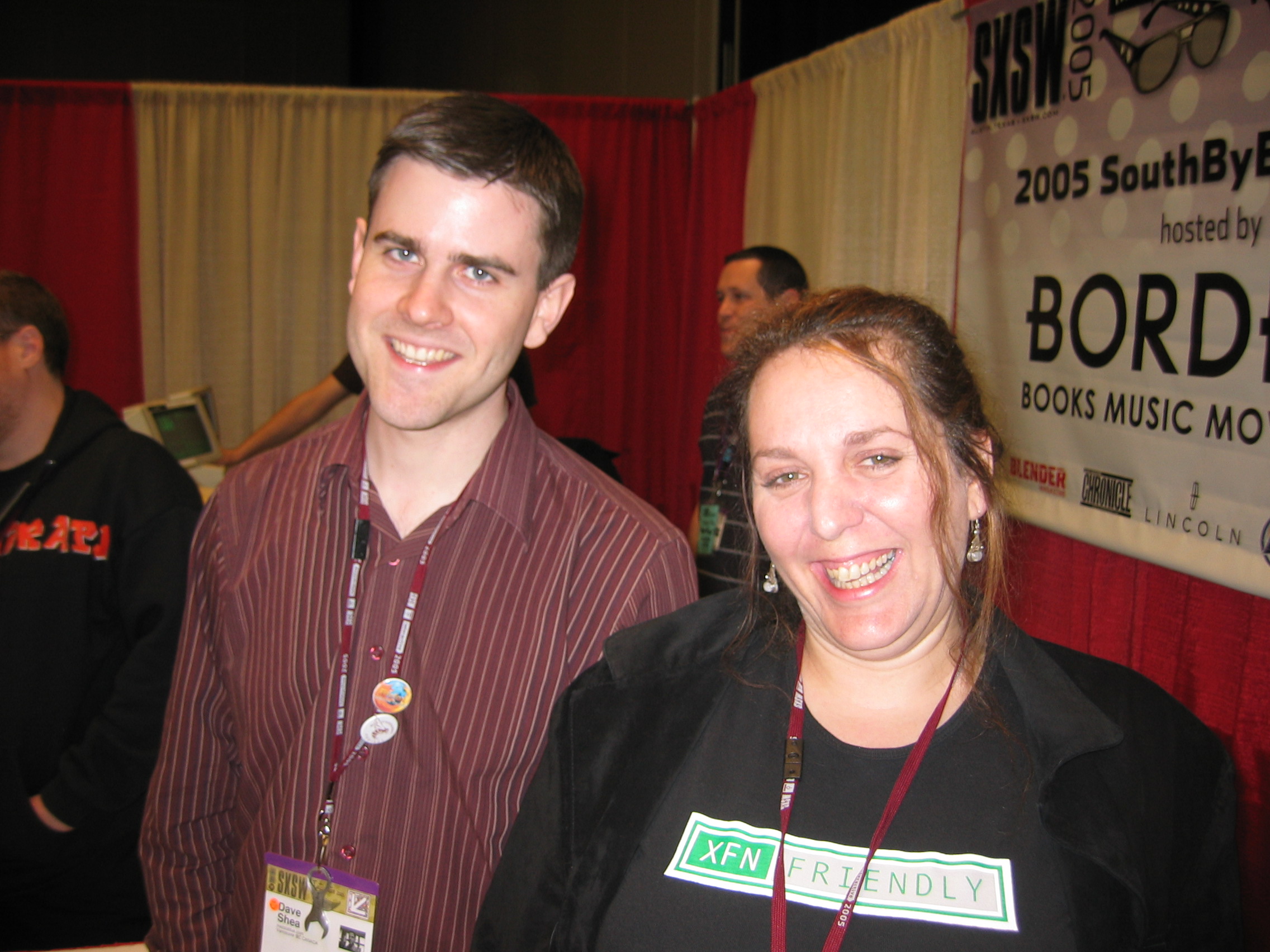
At SXSW 2005 with Dave Shea, her co-author on The Zen of CSS, and wearing an XFN shirt.Standing outside Moscone Center in San Francisco with Cia Romano. I think this is that time we all got evacuated due to a fire alarm.
Or the time a bunch of us were gathered in New Orleans (again, some conference or other) and went to dinner at a jazz club, where we ended up seated next to the live jazz trio and she sang along with some of the songs. She had a voice like a blues singer in a cabaret, brassy and smoky and full of hard-won joys, and she used it to great effect standing in front of Bill Gates to harangue him about Internet Explorer. She raised it to fight like hell for the Web and its users, for the foundational principles of universal access and accessible development. She put her voice on paper in some three dozen books, and was working on yet another when she died. In one book, she managed to sneak past the editors an example that used a stick-figure Kama Sutra custom font face. She could never resist a prank, particularly a bawdy one, as long as it didn’t hurt anyone.
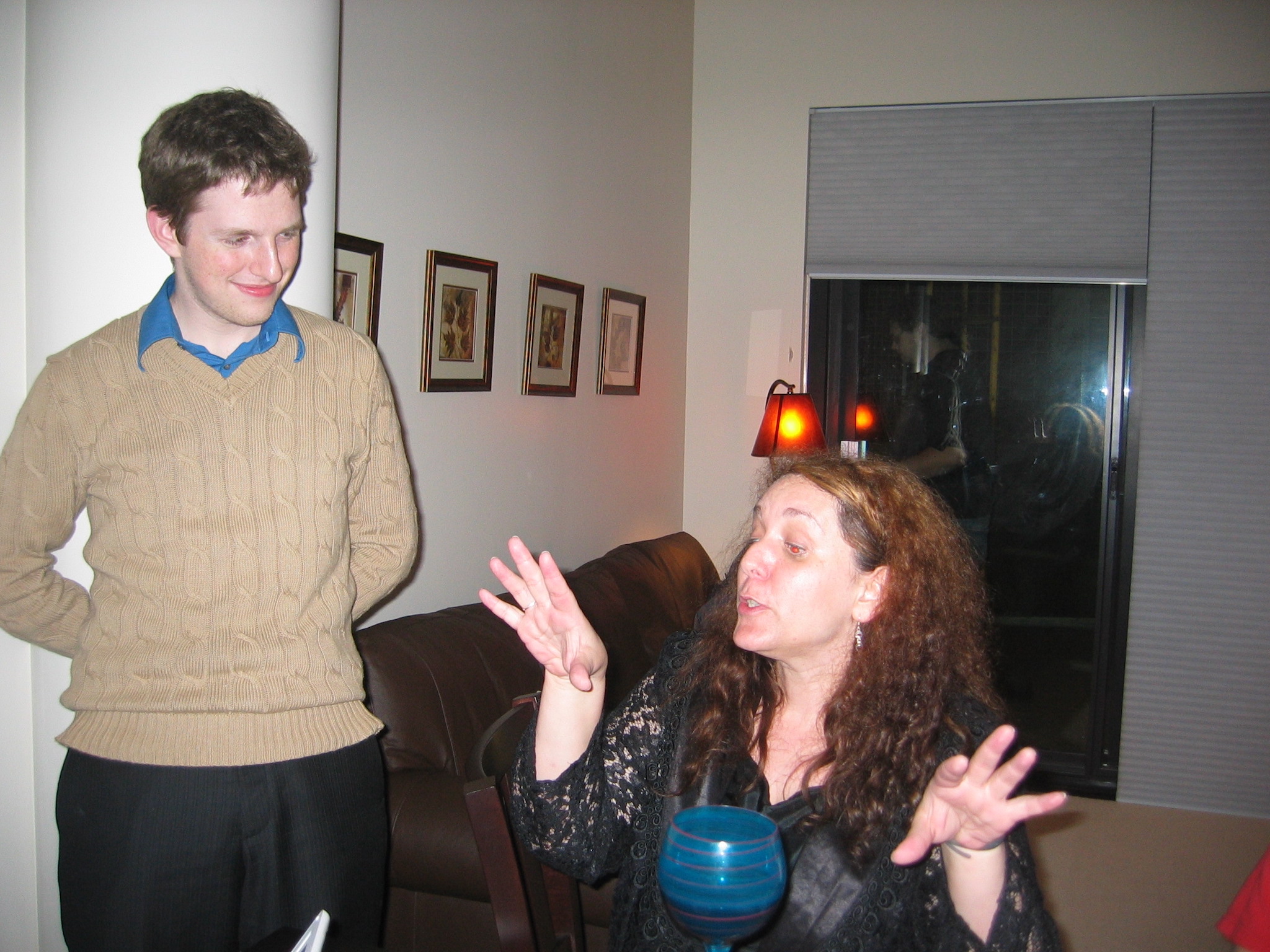
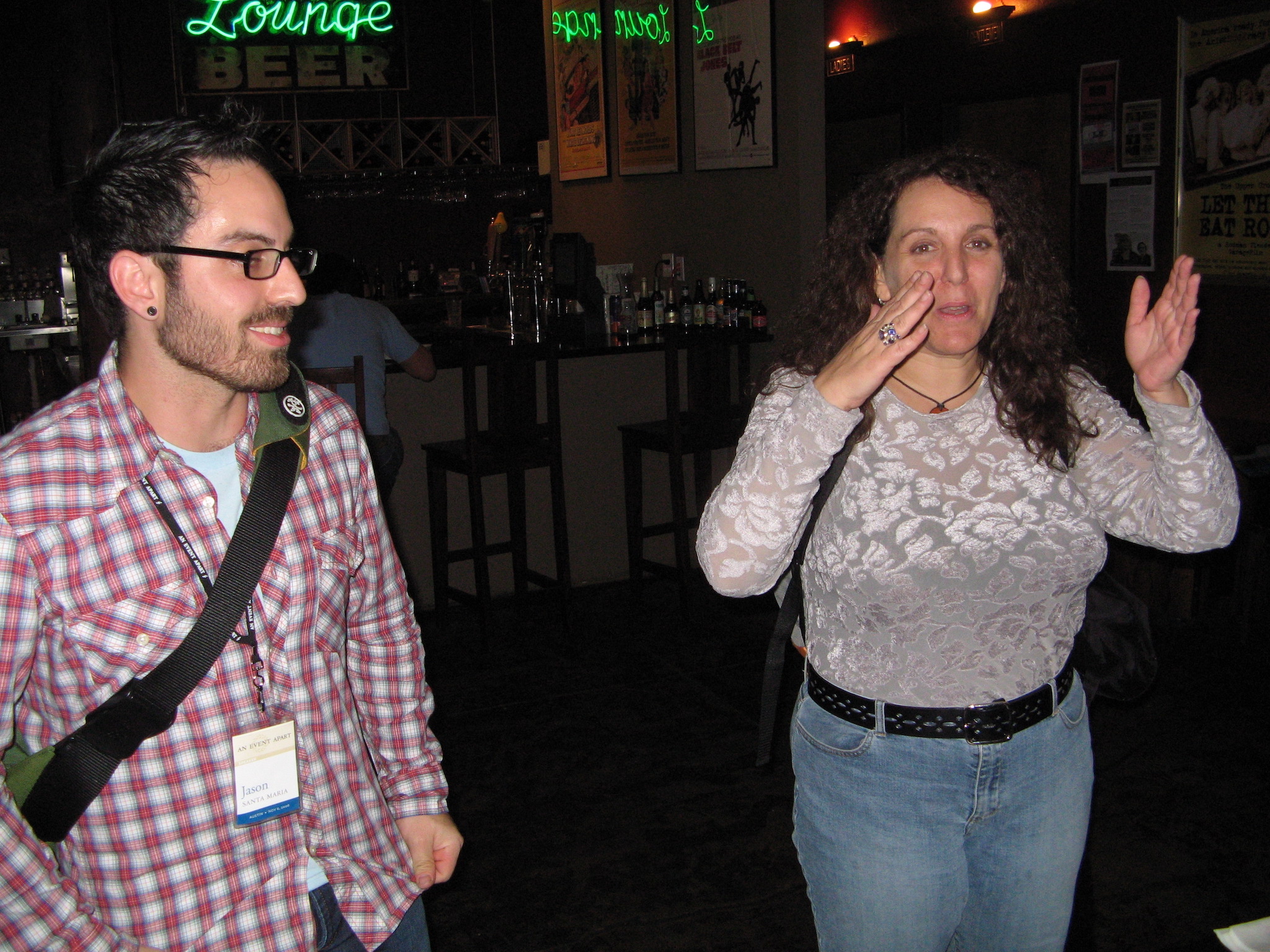
Holding court in somebody’s hotel suite, with a baby Matt Mullenweg in attendance.Once again holding court, this time at a bar with Jason Santa Maria.
She made the trek to Cleveland at least once to attend and be part of the crew for one of our Bread and Soup parties. We put her to work rolling tiny matzoh balls and she immediately made ribald jokes about it, laughing harder at our one-up jokes than she had at her own. She stopped by the house a couple of other times over the years, when she was in town for consulting work, “Auntie Molly” to our eldest and one of my few colleagues to have spent any time with Rebecca. Those pictures were lost, and I still keenly regret that.
Rolling matzoh balls in our kitchen, still holding court.On top of a bus somewhere in the world, probably London, with my partner Kat.
There were so many things about what the Web became that she hated, that she’d spent so much time and energy fighting to avert, but she still loved it for what it could be and what it had been originally designed to be. She took more than one fledgling web designer under her wing, boosted their skills and careers, and beamed with pride at their accomplishments. She told a great story about one, I think it was Dunstan Orchard but I could be wrong, and his afternoon walk through a dry Arizona arroyo.
I could go on for pages, but I won’t; if this were a toast and she were here, she would have long ago heckled me (affectionately) into shutting up. But if you have treasured memories of Molly, I’d love to hear them in the comments below, or on your own blog or social media or podcasts or anywhere. She loved stories. Tell hers.
I’ve played a lot of video games over the years, and the thing that just utterly blows my mind about them is how every frame is painted from scratch. So in a game running at 30 frames per second, everything in the scene has to be calculated and drawn every 33 milliseconds, no matter how little or much has changed from one frame to the next. In modern games, users generally demand 60 frames per second. So everything you see on-screen gets calculated, placed, colored, textured, shaded, and what-have-you in 16 milliseconds (or less). And then, in the next 16 milliseconds (or less), it has to be done all over again. And there are games that render the entire scene in single-digits numbers of milliseconds!
I mean, I’ve done some simple 3D render coding in my day. I’ve done hobbyist video game development; see Gravity Wars, for example (which I really do need to get back to and make less user-hostile). So you’d think I’d be used to this concept, but somehow, I just never get there. My pre-DOS-era brain rebels at the idea that everything has to be recalculated from scratch every frame, and doubly so that such a thing can be done in such infinitesimal slivers of time.
So you can imagine how I feel about the fact that web browsers operate in exactly the same way, and with the same performance requirements.
Maybe this shouldn’t come as a surprise. After all, we have user interactions and embedded videos and resizable windows and page scrolling and stuff like that, never mind CSS animations and DOM manipulation, so the viewport often needs to be re-rendered to reflect the current state of things. And to make all that feel smooth like butter, browser engines have to be able to display web pages at a minimum of 60 frames per second.
Admittedly, this would be a popular UI for browsing social media.
This demand touches absolutely everything, and shapes the evolution of web technologies in ways I don’t think we fully appreciate. You want to add a new selector type? It has to be performant. This is what blocked :has() (and similar proposals) for such a long time. It wasn’t difficult to figure out how to select ancestor elements — it was very difficult to figure out how to do it really, really fast, so as not to lower typical rendering speed below that magic 60fps. The same logic applies to new features like view transitions, or new filter functions, or element exclusions, or whatever you might dream up. No matter how cool the idea, if it bogs rendering down too much, it’s a non-starter.
I should note that none of this is to say it’s impossible to get a browser below 60fps: pile on enough computationally expensive operations and you’ll still jank like crazy. It’s more that the goal is to keep any new feature from dragging rendering performance down too far in reasonable situations, both alone and in combination with already-existing features. What constitutes “down too far” and “reasonable situations” is honestly a little opaque, but that’s a conversation slash vigorous debate for another time.
I’m sure the people who’ve worked on browser engines have fascinating stories about what they do internally to safeguard rendering speed, and ideas they’ve had to spike because they were performance killers. I would love to hear those stories, if any BigCo devrel teams are looking for podcast ideas, or would like to guest on Igalia Chats. (We’d love to have you on!)
Anyway, the point I’m making is that performance isn’t just a matter of low asset sizes and script tuning and server efficiency. It’s also a question of the engine’s ability to redraw the contents of the viewport, no matter what changes for whatever reason, with reasonable anticipation of things that might affect the rendering, every 15 milliseconds, over and over and over and over and over again, just so we can scroll our web pages smoothly. It’s kind of bananas, and yet, it also makes sense. Welcome to the web.












.jpg)